
F11 CarPlay Smart Instrument Display for Tesla Model 3 Highland / Model Y Juniper / Model Y L
✨Hauptmerkmale
🔹
🔹
🔹
🔹 1 Jahr Garantie

Kein Garantierisiko: Sichere Installation ohne Beeinträchtigung Ihrer Tesla-Garantie.
Hallo,
Vielen Dank für Ihre Kontaktaufnahme! Sollten Sie innerhalb eines Werktages keine Rückmeldung erhalten, bitten wir die Verzögerung zu entschuldigen.
Für eine schnellere Antwort können Sie uns kontaktieren über:
☎️ WhatsApp: +86 137 1721 7038
📩 E-Mail: Support@Haovix.com / Info@Haovix.com
Wir danken Ihnen für Ihre Geduld!
Wir versenden alle Bestellungen über vertrauenswürdige Versanddienstleister wie FedEx, USPS, UPS oder SF Express.
Lagerware wird innerhalb von 1–2 Werktagen bearbeitet und versandt, die Lieferung innerhalb der USA dauert in der Regel 2–9 Werktage.
Bei Vorbestellungen oder vorübergehend nicht vorrätigen Artikeln erfolgt der Versand innerhalb des auf der Produktseite angegebenen Zeitraums.
Wir bieten eine einjährige Garantie. (Wir bieten ein Jahr Kundendienst für Produktmängel, die nicht durch menschliches Versagen verursacht wurden.)
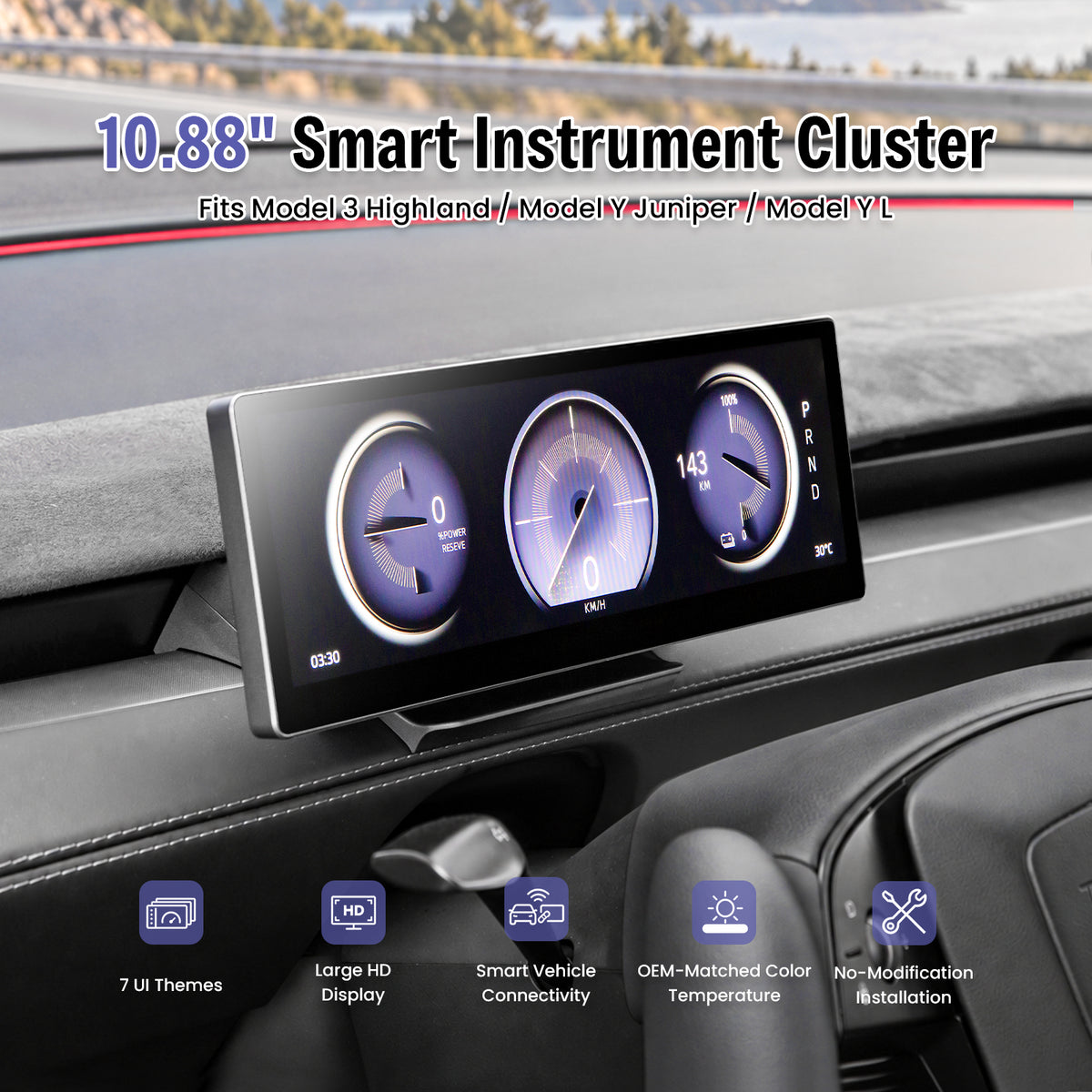
Put Key Driving Information Closer to Your Natural View
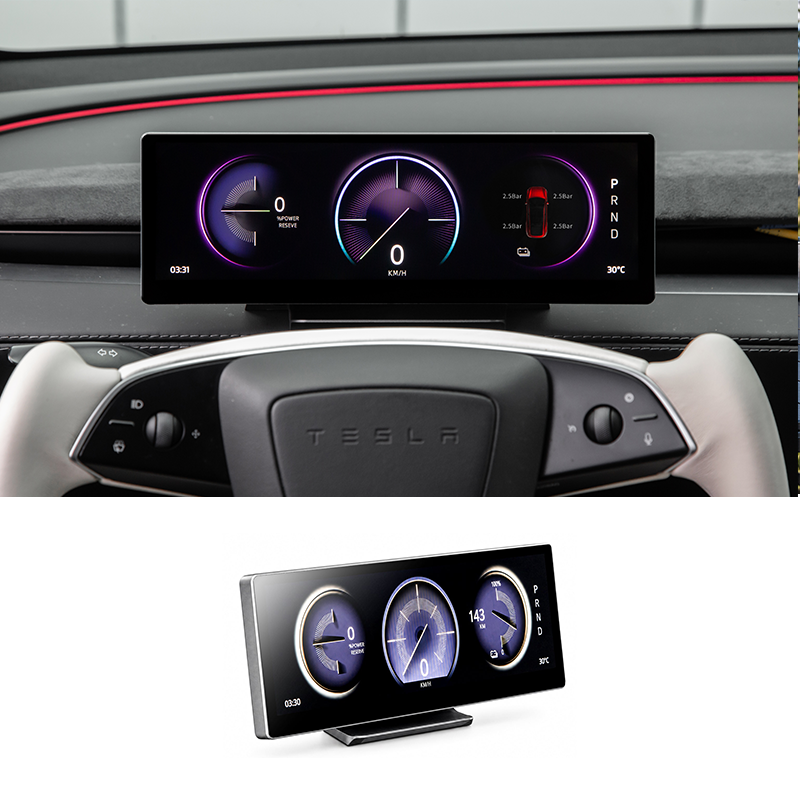
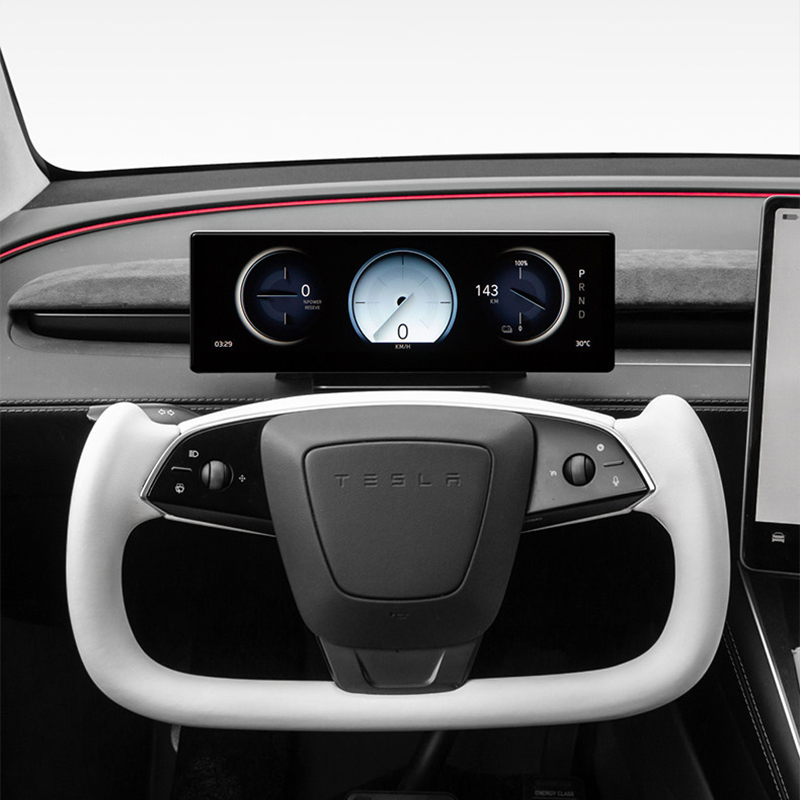
The Haovix F11 adds a 10.88-inch ultra-wide driver display with wireless CarPlay, Android Auto and synchronized Tesla vehicle information for Model 3 Highland, Model Y Juniper and Model Y L.
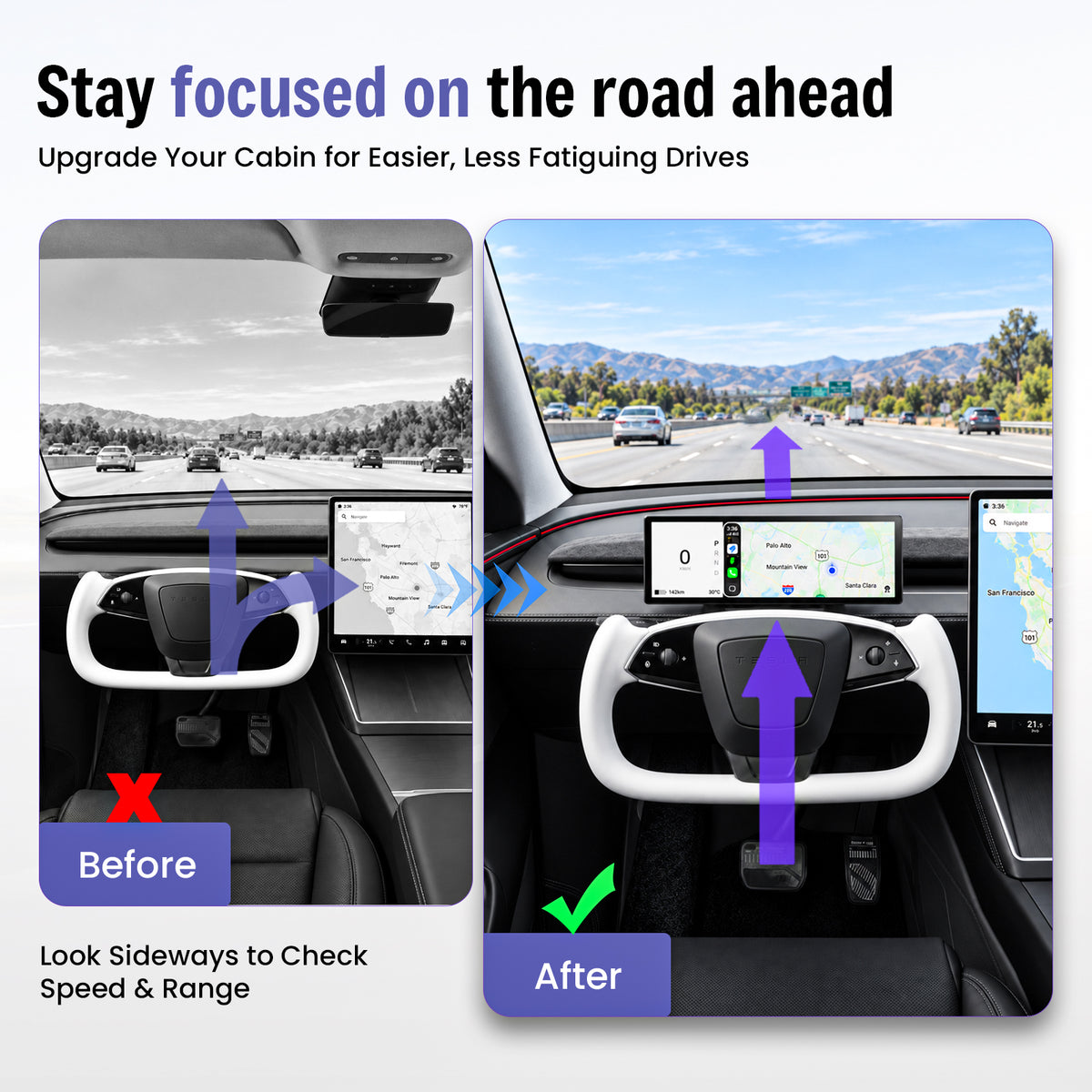
Less Looking Sideways for Everyday Driving Information
Important Data Lives on the Center Screen
Speed, range, navigation and vehicle information are normally positioned away from the driver's forward viewing area.
Key Information Moves Closer to the Driver
Add a dedicated display behind the steering-wheel area while keeping the original Tesla center screen available.
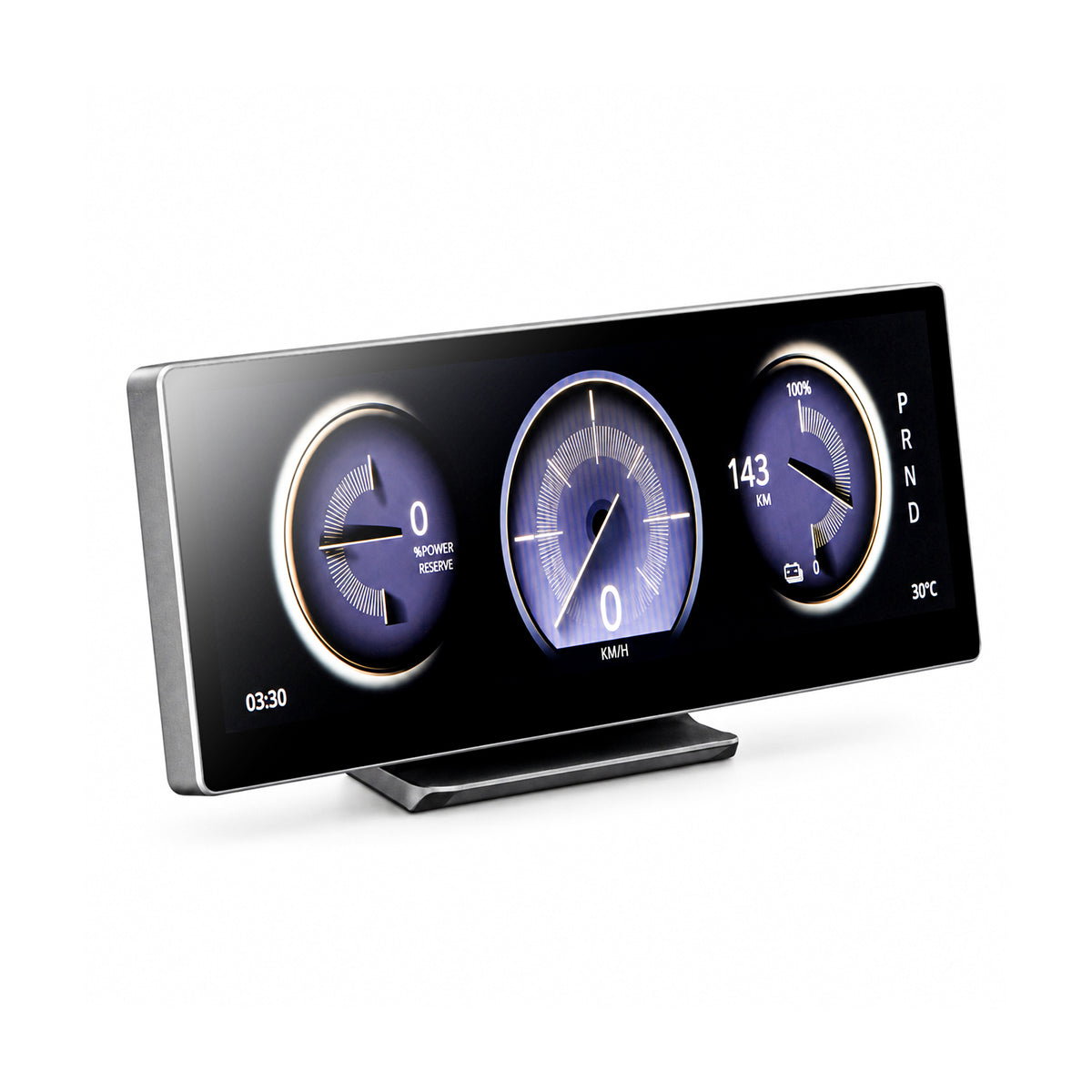
One Display. Four Useful Upgrades.
Driver-Facing Data
View speed, range, gear position and compatible vehicle information closer to the driver's view.
Wireless Phone Integration
Bring compatible navigation, calls and media into the driver display.
Multiple Controls
Use touchscreen interaction plus supported steering-wheel and scroll-wheel controls.
Clean Integration
Add driver-facing information without replacing the original Tesla center display.
10.88 Inches of Driver-Focused Information
The ultra-wide format creates multiple information zones without using a tall screen that dominates the dashboard.
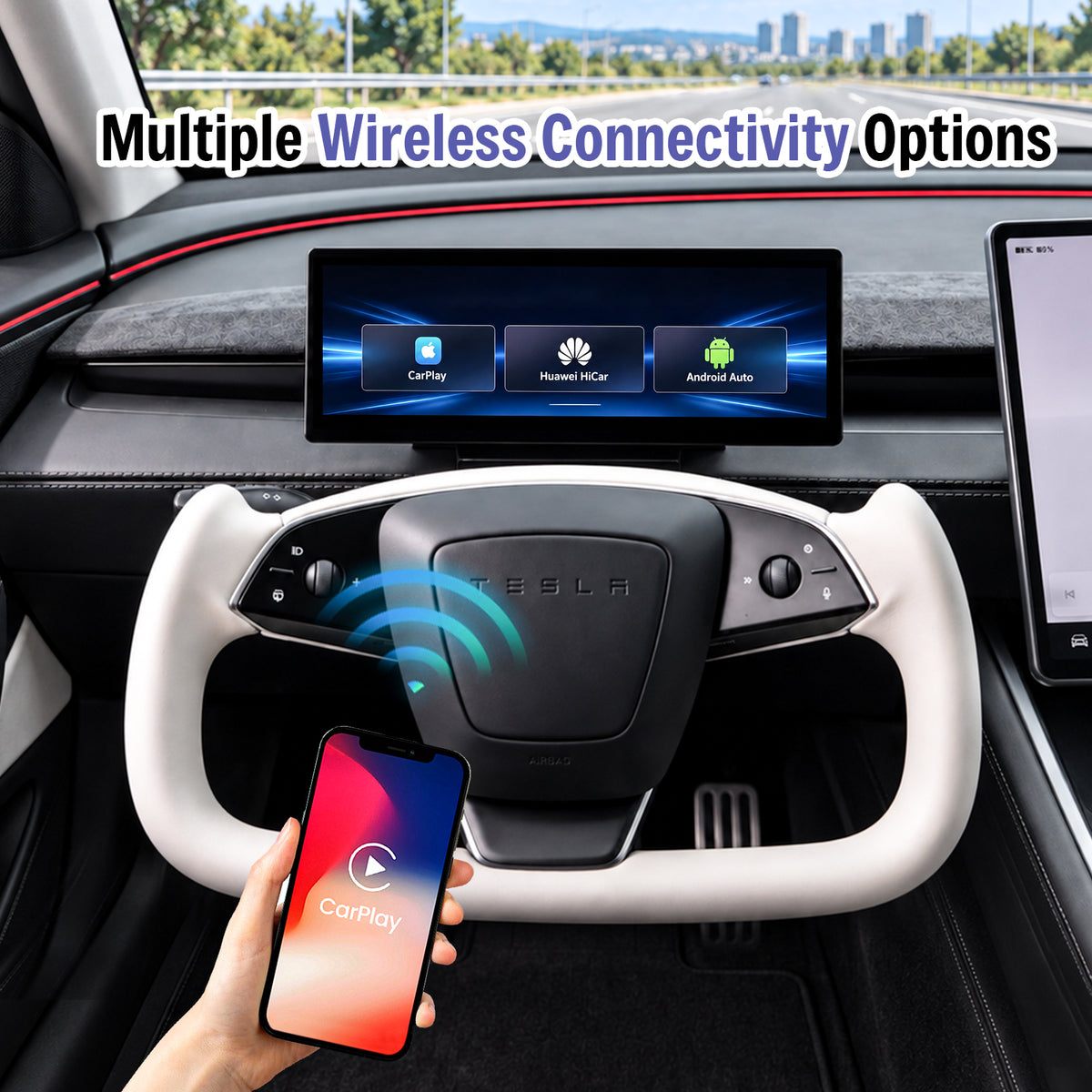
Bring Familiar Phone Features Into the Driver Display
Connect a compatible smartphone wirelessly for navigation, communication and media while keeping the original Tesla center screen available.
- Wireless Apple CarPlay
- Wireless Android Auto
- Huawei HiCar support
- Compatible wireless screen mirroring
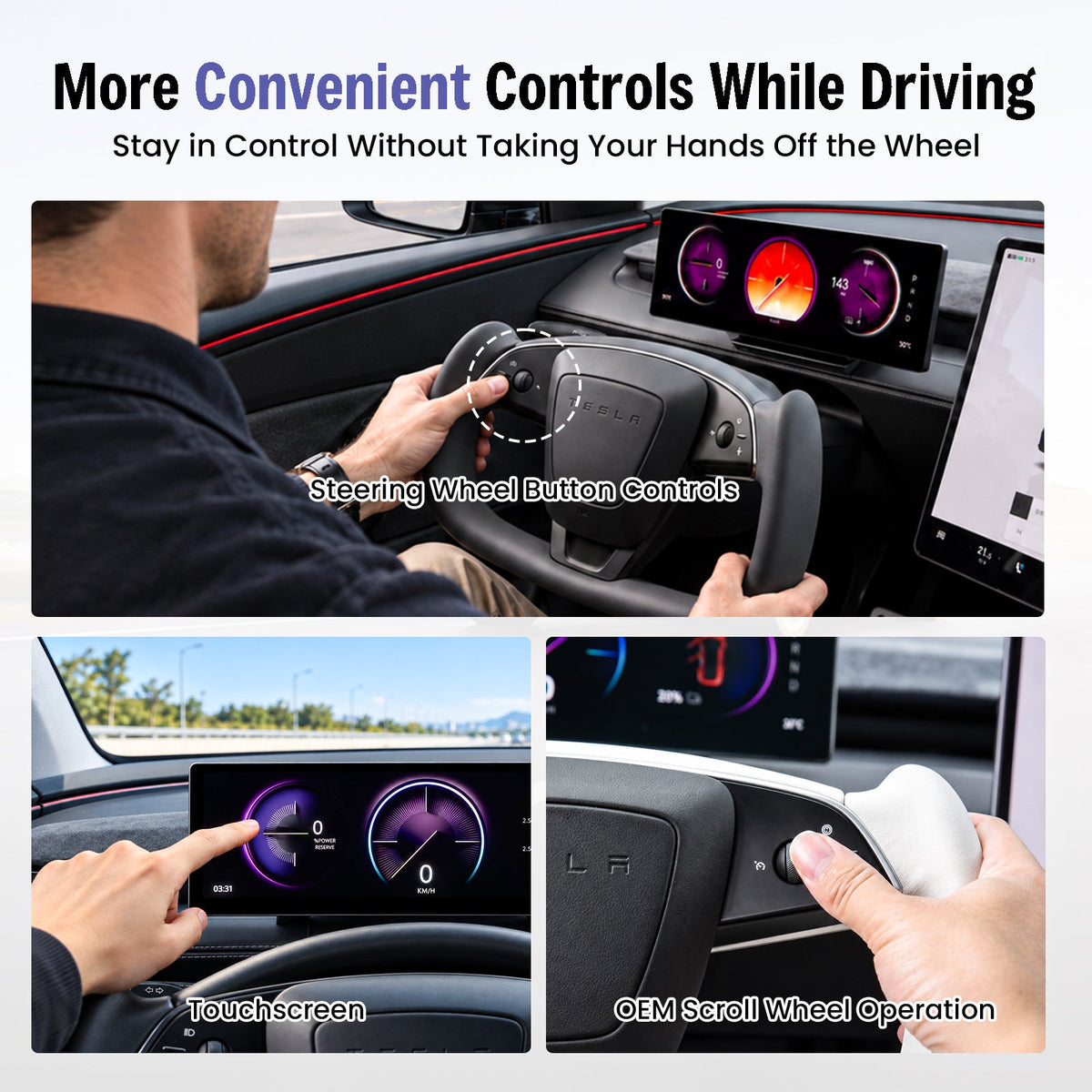
Touch the Screen or Use Familiar Tesla Controls
Multiple interaction methods let you choose the most convenient way to control supported F11 functions.
- Touchscreen interaction
- Steering-wheel button control
- Supported OEM scroll-wheel operation
- Convenient driver-accessible controls
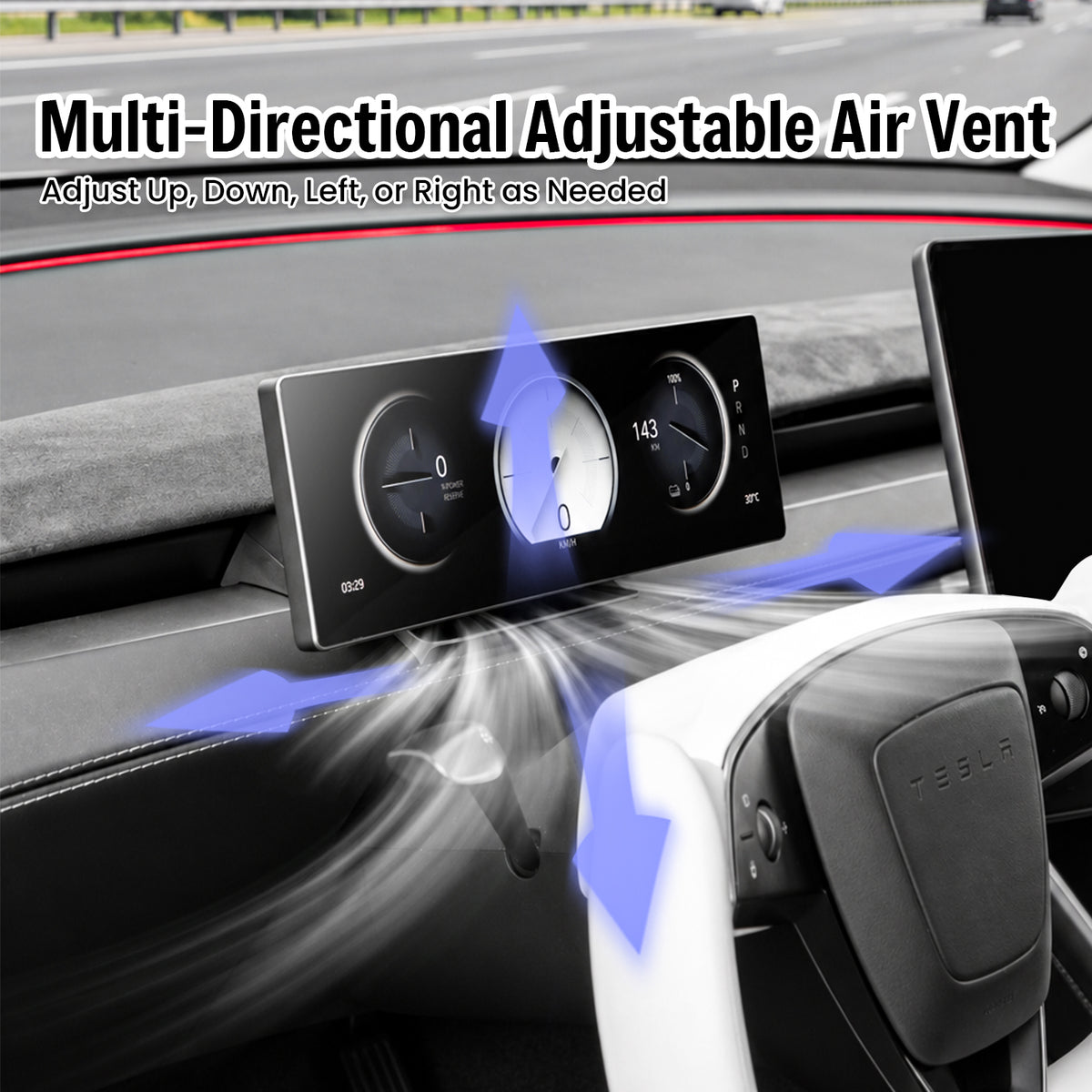
Keep the Dashboard Airflow Adjustable
The display position is designed around the updated Tesla dashboard layout so the air outlet remains usable after installation.
- Airflow remains accessible
- Up and down adjustment
- Left and right adjustment
- Low-profile display position
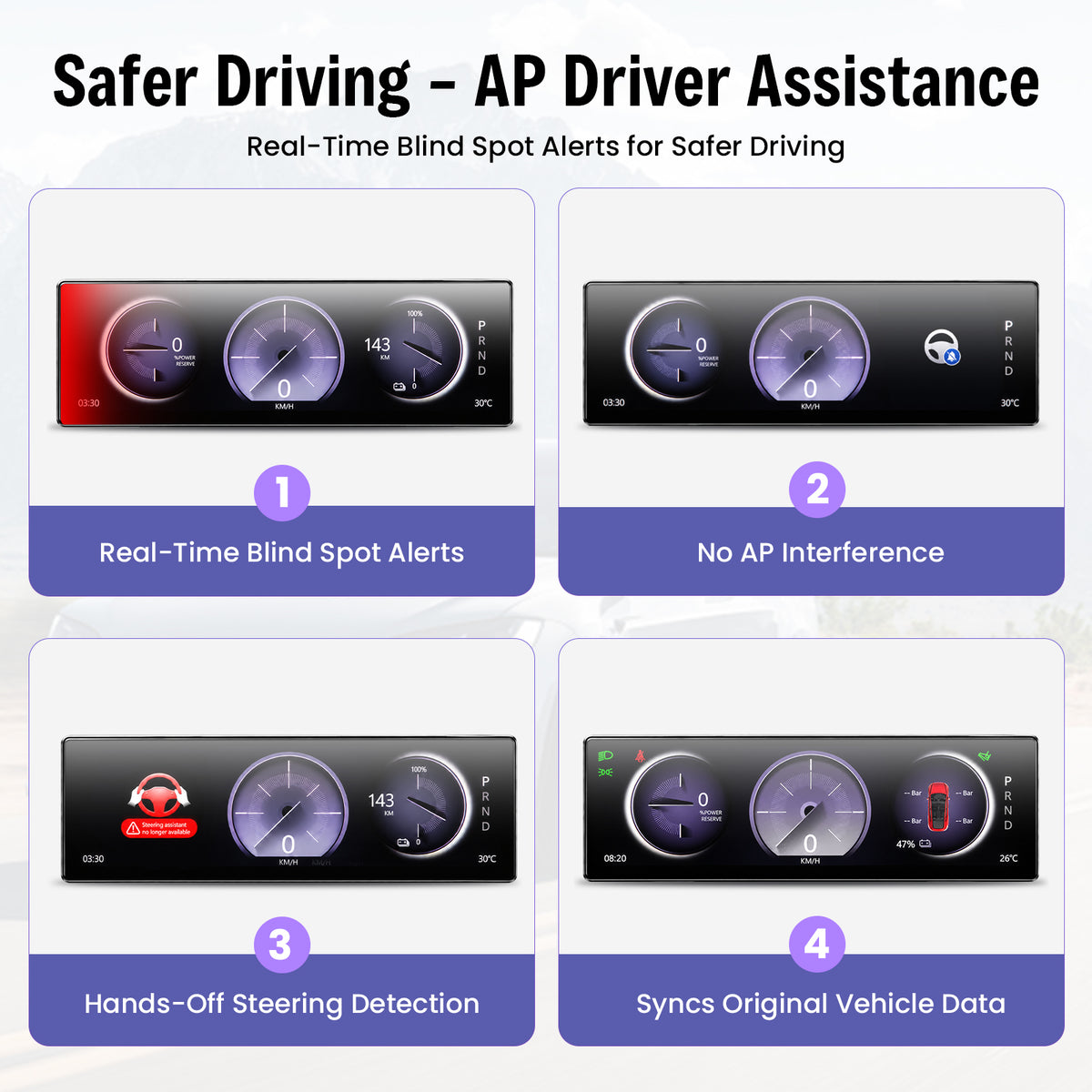
Additional Visual Cues in the Driver Display
The current feature set includes visual blind-spot warning information.
Compatible vehicle information can include hands-off steering alerts.
View compatible Tesla information including speed, range and gear position.
Always rely on your vehicle's original systems, mirrors, cameras and direct observation when driving.
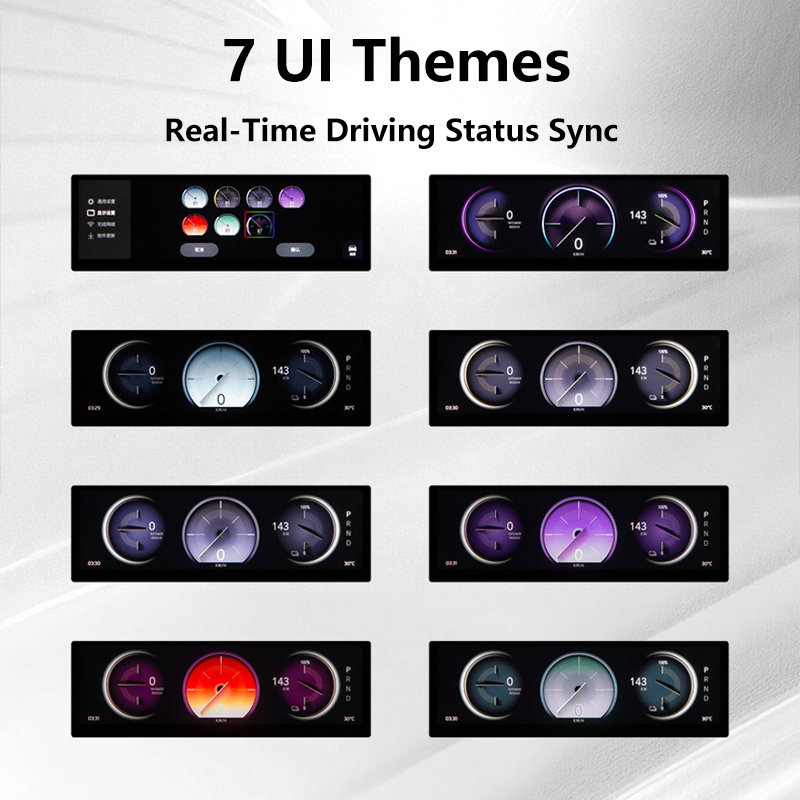
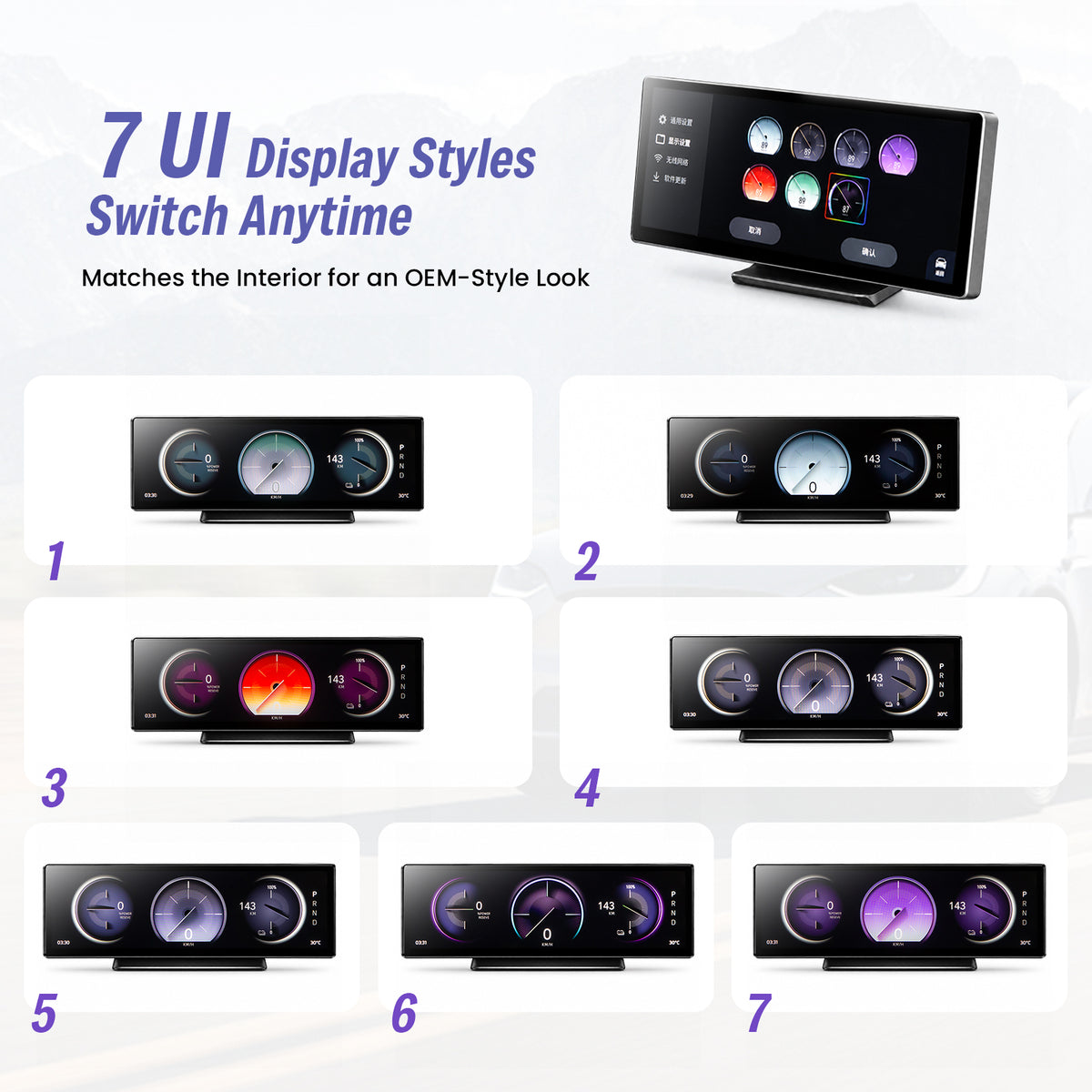
Seven UI Themes for Different Cabin Styles
Choose from the listed interface themes while keeping the same ultra-wide display layout.
- 7 selectable UI themes
- Multiple gauge designs
- Different color treatments
- Tesla-oriented vehicle graphics
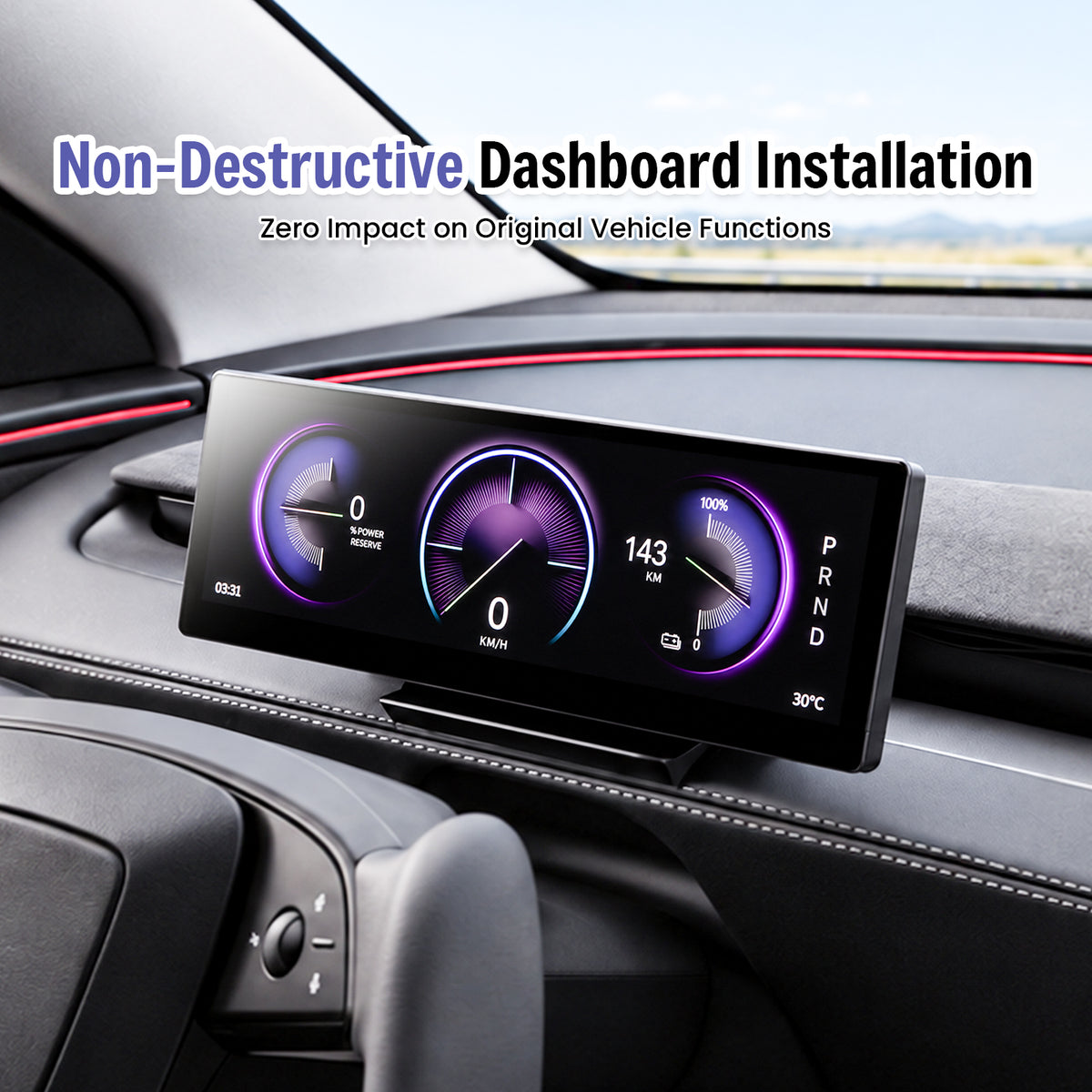
Designed for a No-Cut, No-Drill Upgrade
The current F11 installation design is intended to avoid drilling the dashboard or cutting the factory wiring harness. Confirm your vehicle version before starting.
Confirm Fitment
Match your exact Tesla model and production period first.
Connect & Mount
Follow the supplied harness-routing and mounting instructions.
Test Functions
Confirm display, controls, vehicle information and phone connection before completing reassembly.
Select the Version That Matches Your Tesla
Production timing matters for electronic upgrades. Select the exact vehicle option before ordering.
Current selector: 2023.08+
Current selector: 2025.03+
Current selector: 2025.11+
Complete the Driver-Focused Tesla Cockpit
Explore complementary upgrades for newer Tesla interiors. Confirm the exact vehicle version on each product page.
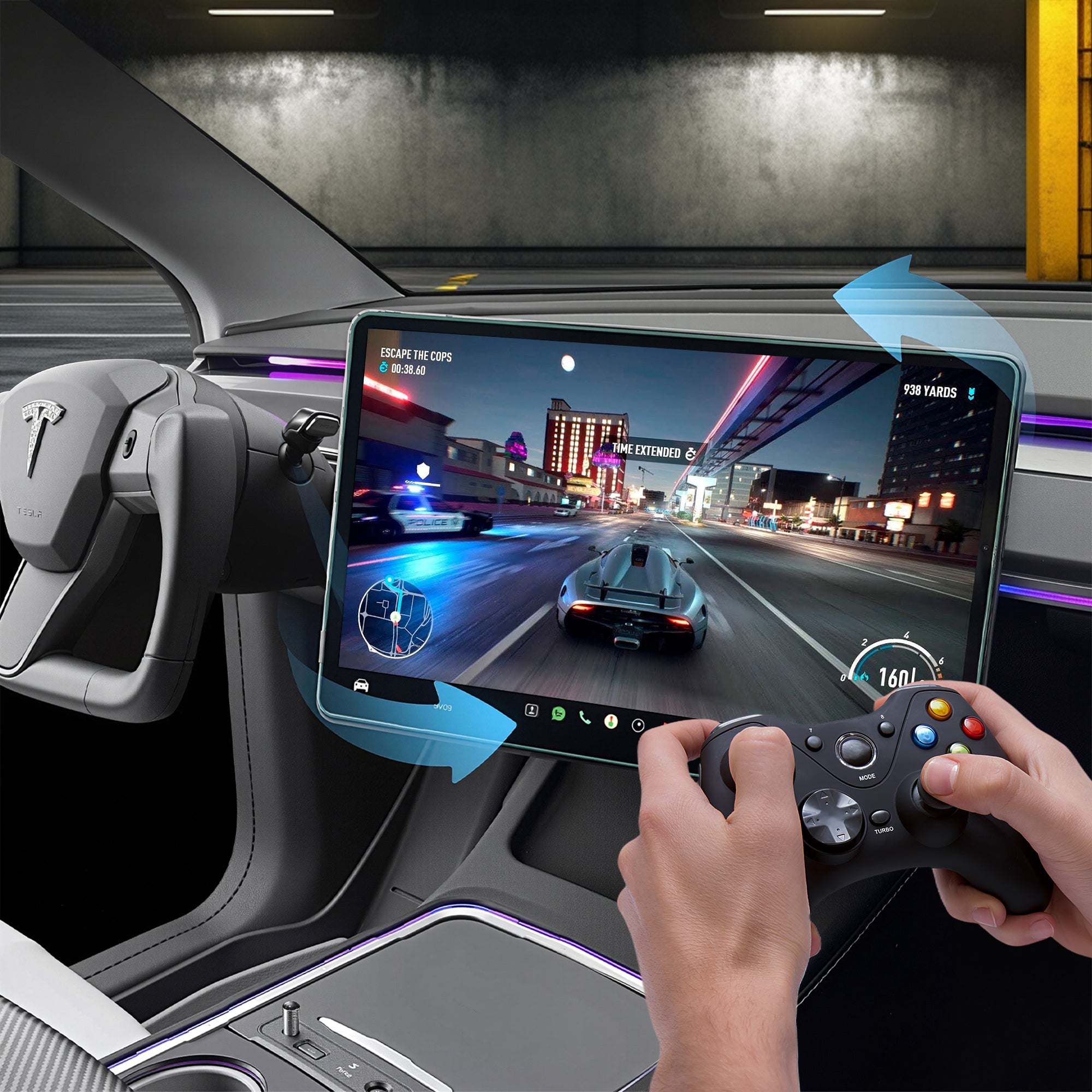
Center Screen Swivel Mount
Adjust the original Tesla center display toward the driver or passenger.
View product →
120W Retractable USB Hub
Add retractable charging cables and additional USB access.
View product →
Turn Signal & Gear Stalk
Restore familiar physical turn-signal and gear controls on compatible configurations.
View product →Confirm Your Tesla Before Ordering
Have your Tesla model, production month/year and a clear dashboard photo ready when contacting product support.
Contact Support →Haovix F11 Smart Instrument Display FAQs
Which Tesla models does the F11 currently fit?
Current options include Model 3 Highland 2023.08+, Model Y Juniper 2025.03+ and Model Y L 2025.11+. Select the exact vehicle version before checkout.
What size and resolution is the display?
The F11 is listed with a 10.88-inch ultra-wide display and 1920 × 532 resolution.
Does it support wireless Apple CarPlay?
Yes. The listed feature set includes wireless Apple CarPlay, Android Auto and Huawei HiCar.
Can the F11 display Tesla vehicle information?
The listed configuration is designed to display compatible vehicle information such as speed, range, gear position and other supported status data.
Does the display block the dashboard air vent?
The mounting position is designed to keep the corresponding dashboard airflow accessible and adjustable.
How can I control the F11?
Supported interaction includes touchscreen control, steering-wheel buttons and compatible OEM scroll-wheel operation.
Are the blind-spot and steering alerts replacements for Tesla safety systems?
No. Treat F11 indicators as supplemental information. Always rely on the vehicle's original systems, mirrors, cameras and direct observation.
Does installation require cutting factory wires or drilling?
The product is designed for installation without cutting the factory wiring harness or drilling the dashboard. Follow the supplied installation instructions.
Does the F11 offer different interface themes?
The listed configuration offers seven selectable UI themes.
Will installing an aftermarket display affect my Tesla warranty?
Warranty treatment can vary by market and by the cause of a specific claim. The F11 is designed for no-cut installation, but check the warranty terms that apply to your vehicle.
Optionen auswählen
Brauchen Sie Hilfe?
Häufig gestellte Fragen
Befehl
A: Wir bieten Unterstützung per E-Mail, Live-Chat und detaillierten Installationsanleitungen. Außerdem stehen Ihnen Schritt-für-Schritt-Tutorial-Videos mit Influencern zur Verfügung.
A: Ja. Das Produkt kann entfernt werden, ohne den originalen Kabelbaum Ihres Fahrzeugs zu beeinträchtigen.
Das hängt von Ihrem Standort ab. Bestellungen, die hier bearbeitet werden, benötigen 2–3 Werktage. Lieferungen ins Ausland können 7–16 Tage dauern. Die Lieferdetails erhalten Sie in Ihrer Bestätigungs-E-Mail.
Sie können uns über unsere Kontaktseite erreichen! Wir helfen Ihnen gerne weiter.
👨🔧 Kundensupport
📞 Telefon/WhatsApp: +86 13717217038
📧 E-Mail: info@haovix.com
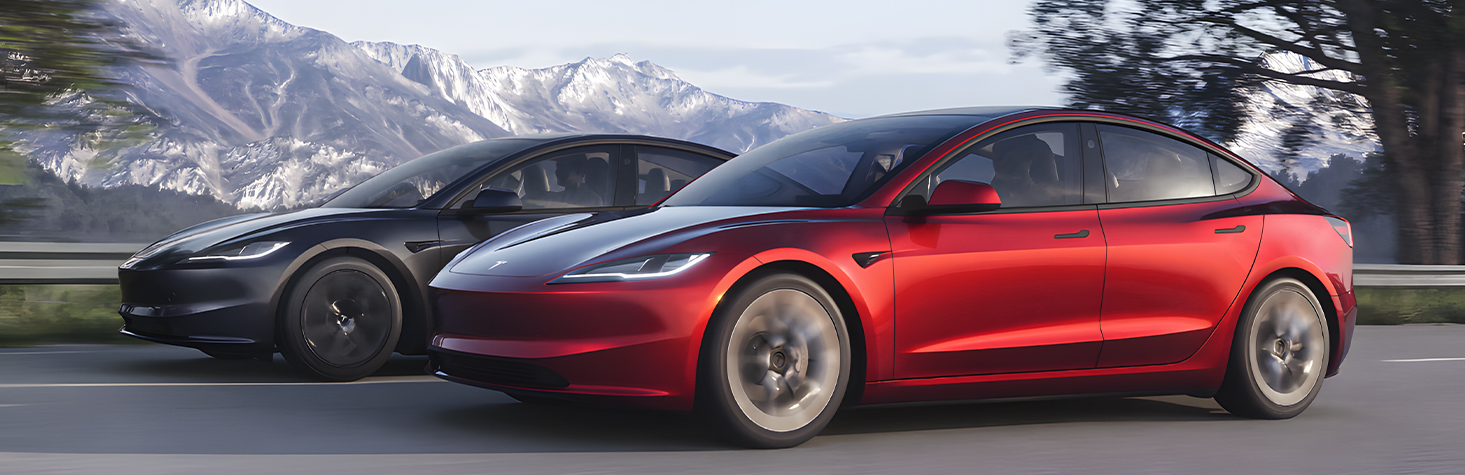
Hey Tesla-Fans! Lernt Haovix kennen 🚗✨
Entdecken Sie Premium-Fahrzeugzubehör, das Leistung, Stil und Zuverlässigkeit steigert. Werten Sie Ihr Fahrzeug auf und erleben Sie Innovation mit Haovix !
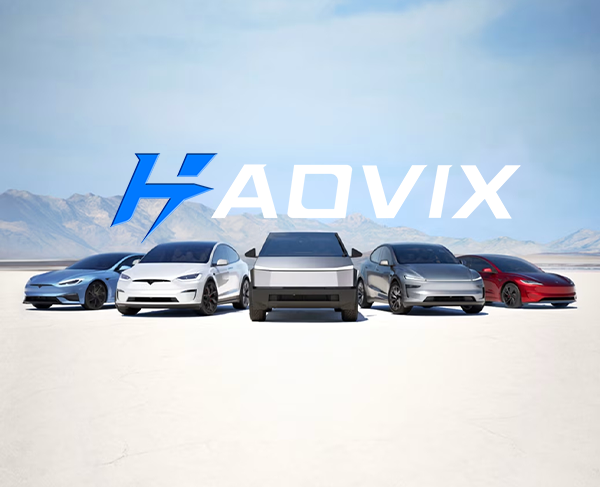
Haovix – Innovation bis ins kleinste Detail
Unsere Mission
Bei Haovix steht Innovation im Mittelpunkt unseres Handelns. Unser engagiertes Forschungs- und Entwicklungsteam arbeitet unermüdlich daran, innovative Fahrzeugzubehörteile zu entwickeln, zu testen und zu optimieren, die den sich wandelnden Bedürfnissen der Fahrer gerecht werden. Von der ersten Idee bis zur Serienreife wird jedes Produkt mit höchster Präzision, modernster Technologie und der Leidenschaft für ein besseres Fahrerlebnis gefertigt. Wir folgen nicht nur Trends – wir setzen sie .